
The State of Twitter Spam

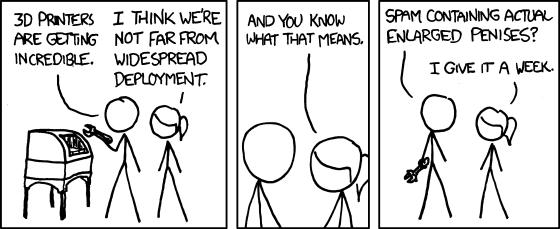
A Running CountAs many people have noticed, over the past year Twitter spam problem has become increasingly bad. [I decided today](https://twitter.com/joelhousman/status/91211190839164928) that I am going to start a running count on Twitter of each and every spam Tweet I get. Starting today.

There seems to be two types of spam tweets: replies and cold tweets.

Replies

With this type of Twitter spam, you only get spammed after you've recently tweeted. Send a tweet with many popular marketing-friendly words, such as iPad, iPhone, Apple, Mac, Loan, Money, Job, Bookstore, Cash, Gold, etc and you'll probably get a spam reply back trying to get you to click a link to some type of marketing related spam. This has gotten progressively worse in the past year. I feel this is the most harmful type of Twitter spam because it causes me to self-censor my tweets when talking about certain subjects to avoid getting spammed. I hate that. Twitter really needs to fix this.

Cold Tweets

More recently, within the past 6 months, I've started to get 2-5 of these a day. These "cold tweets" as I've taken to calling them is just an @reply with a link in it. I've never clicked on any of these so I don't really know what is on the other side of any of these links. This type of spam is annoying, but I get these whether I'm actively tweeting or not. My count so far (starting today): 1. What's yours? Tweet it. Yes, I know by my tweeting a number for each spam I receive is spamming, but I want to be active in complaining about this with the goal that if enough people complain, maybe Twitter will take a more active role in fixing the problem. I apologize in advance for the semi-spammy tweets from me counting upwards. Update: @joshtheoak, @macphotog and I discussed and came up with a normalized hashtag for these spam count tweets: #tootsagainstspam
One Third Of iPhone Owners Think They Have 4G Service

Retrevo conducted a survey they titled "Confusion and Skepticism May Impede 4G Adoption". Shawn Blanc linked to this and commented:

Perhaps it is the “4″ in the iPhone 4 name (since the iPhone 3G was a 3G device) that leads to the false assumption that it’s a 4G iPhone. But I also wonder if it’s not an assumption about the device rather than an assumption about the network provider. As networks tout their newer, faster networks, perhaps those 34% of iPhone owners (as well as 29% Android owners and 24% BlackBerry owners) assume their phones are automatically a part of the 4G network. Call me a cynical bastard, but I think that if you look at most surveys conducted, anywhere from 10 - 30% of those surveyed will generally be ignorant enough about the subject being questioned to give surprising answers. See the 28% of the populace that still thought George Bush was doing a good job at the end of his failed presidency. The results of this survey don't surprise me, but then again, I'm pessimistic when it comes to the technical knowledge of the general populace. It comes with working in IT for over 10 years.

Lion Tip: Quickly Enter 'Jiggly' Mode in Launchpad

From David Chartier at Finer Things Mac:

Quickly enter (and exit) “jiggly app mode” in Lion’s LaunchPad One of Lion’s new features is called LaunchPad, and it is essentially the Springboard home screen from iOS, adapted for organizing and launching apps on the Mac. Similar to iOS, you can click-hold on any app icon to enter app organization mode, also non-technically known as “jiggly mode”. But to get in and out of this mode even more quickly, you can simply hold the Option key. Icons will jiggle while the key is depressed, so you can move them between pages, drag them onto each other to create folders, and delete them. Let go of Option and your changes are saved. Someone with better video editing skills than I needs to cut together a short 30 second music video of the icons dancing to latin music by hitting the option key to time the icons' 'dancing' to the music. Free idea. You're welcome.

Clueless Commenter Of The Week

This morning I was attempting to read John Gruber's link to Daniel Bailey's article he wrote earlier this week entitled, "Apple, Is It Time To Shut Safari Down?". Apparently, due to everyone across the entire Internet pointing and laughing at Daniel over this absurd article where he almost goes a whole sentence at one point before getting a fact wrong, his article has been pulled down. It was pulled down at ConceivablyTech, The Motley Fool, Extremetech, and a few other places that syndicate his drivel. Luckily, Google still has the article cached. The article, as Gruber said on Daring Fireball, was as bad as I expected it to be. However, the comments were particularly bad. This one takes the cake though:

Justin Clements: I have never understood these "browser wars". I just want a browser that displays a web site. How hard is it to understand that? MS introduce IE8, because IE7 was bad? Firefox release 4 (or 5, i dunno) because 3 was awful? Safari 5 because 4 was so bad? I don't get it. No Justin, you do not.

Mr. President: What Twitter Users Asked vs What The Press Asks

Boston.com analyzed the Tweets sent by Twitter users from 2 p.m. on Monday and the transcripts from White House press briefings for the past few weeks and compared them. I think a lot of Twitter users do a better job than the press at asking questions. See the results.

The AppStorm Guide to Google+

Matthew Guay, writing at App Storm:

While Facebook and Twitter have tweaked their design and added new features over time, Google+ includes a beautiful design and an incredible amount of features from day 1. With extra touches such as the Huddles video chat and an option to download your Google+ data, it’s easily a step beyond what we’ve come to expect from social networks. That said, the birrage of features can be overwhelming, and Twitter’s 140 character simplicity seemed refreshing after spending a morning in Google+. Look for a guest appearance by yours truly.